その一戦を、 もっと伝わる配信に。

試合の流れが、 一目でわかる。
装備差からオブジェクトまで、必要な情報をひとつに。上部ヘッダーと左下スコアボードは、個別に表示をON/OFFできます。

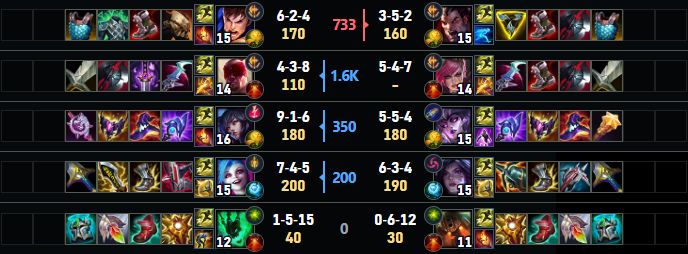
※CS は10ごとに表示されます
※敵 JG の CS は表示されません
URL をコピー。 OBS に追加。
Windows アプリと OBS のブラウザソースで、配信画面に HUD を。
-
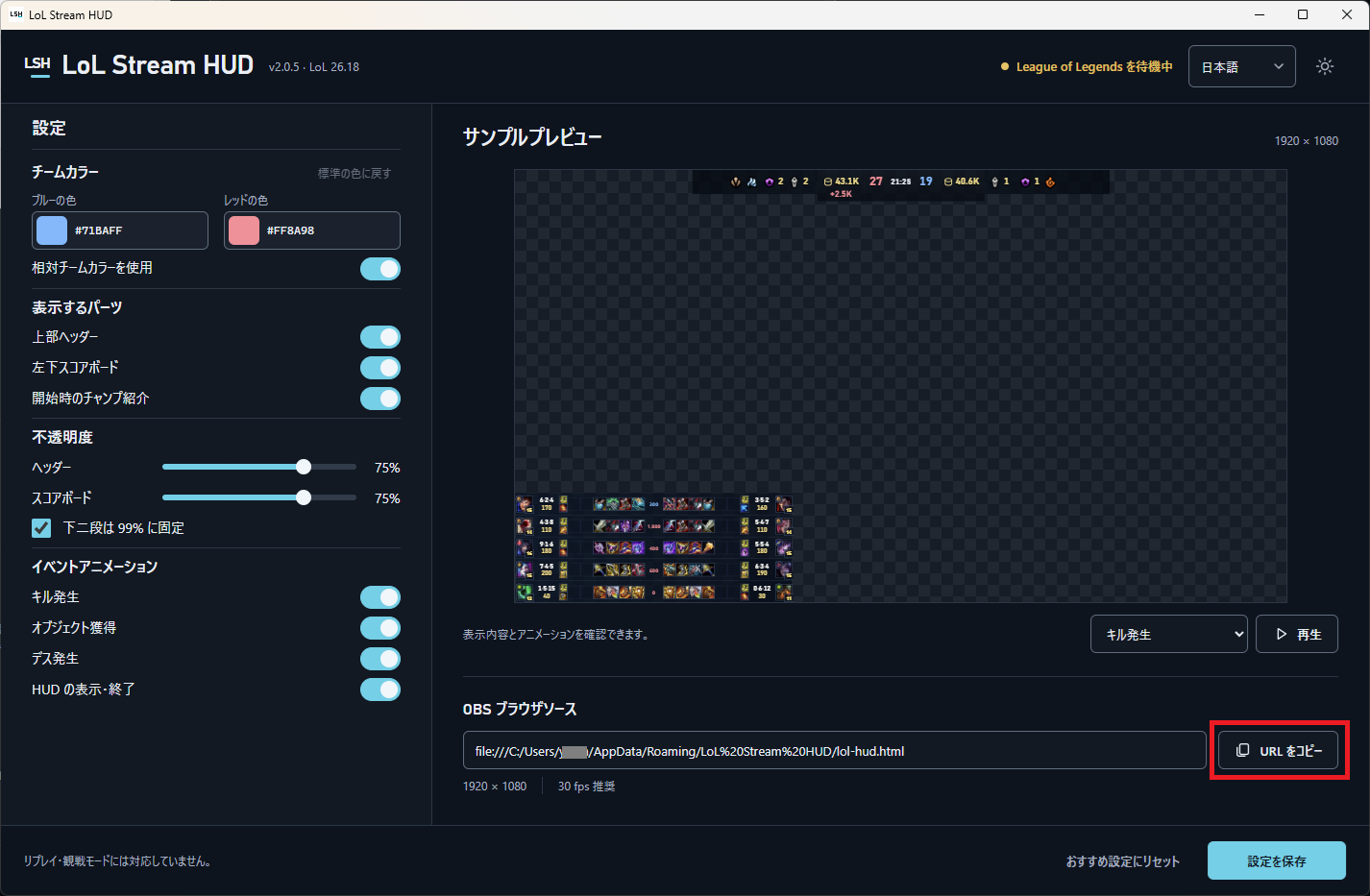
アプリから URL をコピー
LoL Stream HUD をインストールし、「OBS ブラウザソース」の URL をコピーします。
-
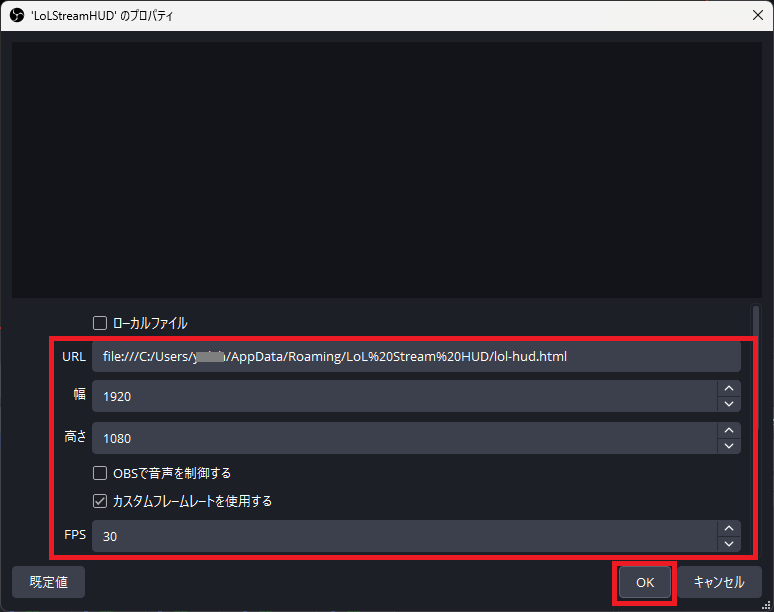
OBS のブラウザソースに追加
OBS に「ブラウザ」ソースを追加して URL を貼り付け、幅 1920・高さ 1080・30 fps に設定します。
設定手順
インストール時のご案内
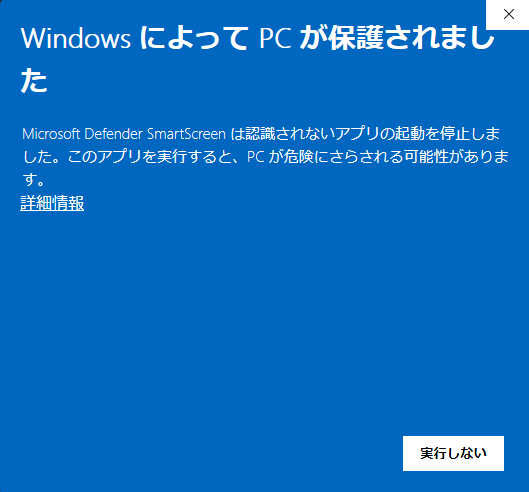
「Windows によって PC が保護されました」と表示された場合
インストーラーを開くと、Microsoft Defender SmartScreen の警告が表示されることがあります。
このサイトのダウンロードボタンから取得したファイルであることを確認し、インストールを続ける場合は、次の操作を行ってください。
- 警告画面の「詳細情報」をクリックします。
- 表示される「実行」ボタンをクリックします。
次の配信に、LoL Stream HUD。
Windows 用 · OBS ブラウザソース対応
法務情報
LoL Stream HUD isn't endorsed by Riot Games and doesn't reflect the views or opinions of Riot Games or anyone officially involved in producing or managing Riot Games properties. Riot Games, and all associated properties are trademarks or registered trademarks of Riot Games, Inc.